
Hermes Agent is not a chatbot. It keeps long-term memory across sessions, writes new skills for itself, spawns sub-agents that work in parallel, and runs scheduled tasks while nobody is watching. Running something like that as a black box is a bad idea — here is why, which observability platforms are worth considering, and how I deployed SigNoz in Docker.
Why an agent needs external observability
Hermes is built to run for long stretches and to evolve. That design makes black-box operation genuinely risky, for three reasons.
- Its behavior is hard to trace. It carries long-term memory across sessions, generates new skills dynamically, dispatches sub-agents to work in parallel, and executes unattended scheduled tasks. Terminal logs alone are nowhere near enough to reconstruct that execution chain.
- Cost and quality can both drift without you noticing. An agent calls LLMs and tools constantly. Without monitoring you cannot tell where your tokens are going, which model or tool is the most expensive, or whether your error rate is creeping up.
- Debugging turns into guesswork. When output quality drops or a task fails, you need to know quickly whether it was a prompt problem, a slow model response, or a failing tool call. External monitoring gives you the full call chain and the error detail that plain logs simply do not carry.
Given that Hermes is designed as an autonomous agent, adding external monitoring is not a nice-to-have. It is the difference between operating it and hoping.
Choosing an observability platform
Hermes implements observability mainly through its OpenTelemetry (OTel) plugin, which exports data to a range of backends. The mainstream options:
- SigNoz — open source, OTLP-native, and unifies traces, metrics and logs in a single UI. There is an official Hermes monitoring guide and ready-made dashboard templates. Best when you want every signal on one platform; available self-hosted or as a cloud service.
- Langfuse — open source (MIT core), often described as the default OSS choice. Focused on LLM tracing, evaluation and prompt management, with a good self-hosting story. Best when data privacy is strict and you want tracing and prompt versioning in one place.
- Arize Phoenix — open source (source-available), OTel-native. The UI is aimed at ML engineers, the built-in evaluators are strong, and it suits RAG work well. Best if you are already in the Arize ecosystem or need powerful local evaluation and experiment tracking.
- LangSmith — closed source, LangChain’s official platform. Deepest integration with LangChain and LangGraph, and the simplest setup. Best when your stack is tightly bound to LangChain/LangGraph. Self-hosting options are limited, though, so it may not fit strict data-compliance requirements.
- Any other OTLP-compatible backend — because the
hermes-otelplugin exports standard OTLP, in principle anything that speaks OTLP can be wired in.
A quick way to decide
- You want turnkey setup inside an existing ecosystem — if you live in LangChain, LangSmith is the path of least resistance.
- You want open source and data autonomy — Langfuse is the community’s most recommended self-hosted option, and it balances completeness with ease of use well.
- You want every signal in one place with official support — if you want traces, metrics and logs on one dashboard using vendor-provided dashboards, SigNoz currently has the most complete documentation and support.
Deploying SigNoz
I chose SigNoz and deployed it locally with Docker. The steps below can be run by your Hermes agent directly.
Use the officially recommended Foundry tooling:
- Install the
foundryctlCLI:curl -fsSL https://signoz.io/foundry.sh | bash - Create a configuration file named
casting.yaml:apiVersion: v1alpha1 kind: Installation metadata: name: signoz spec: deployment: flavor: compose mode: docker - Run the deployment:
foundryctl cast -f casting.yamlThat command checks your environment, generates the Compose file and starts every container.
One port note. SigNoz’s UI listens on port 8080 by default. On my machine, 8080 was already occupied, so I remapped it to 8081 — which means the UI ends up at http://<host-ip>:8081. If your 8080 is free, you will find it there instead.
Using SigNoz
Day-to-day observability happens in the browser. Open http://<your-host-ip>:8081 (or 8080 on a fresh install), set a username and password the first time, and create dashboards. You can build them by hand, but starting from the existing templates is far faster — Hermes Agent, CouchDB, DeepSeek Harness, DeepSeek API, OpenCode and more. Here is what that looks like:
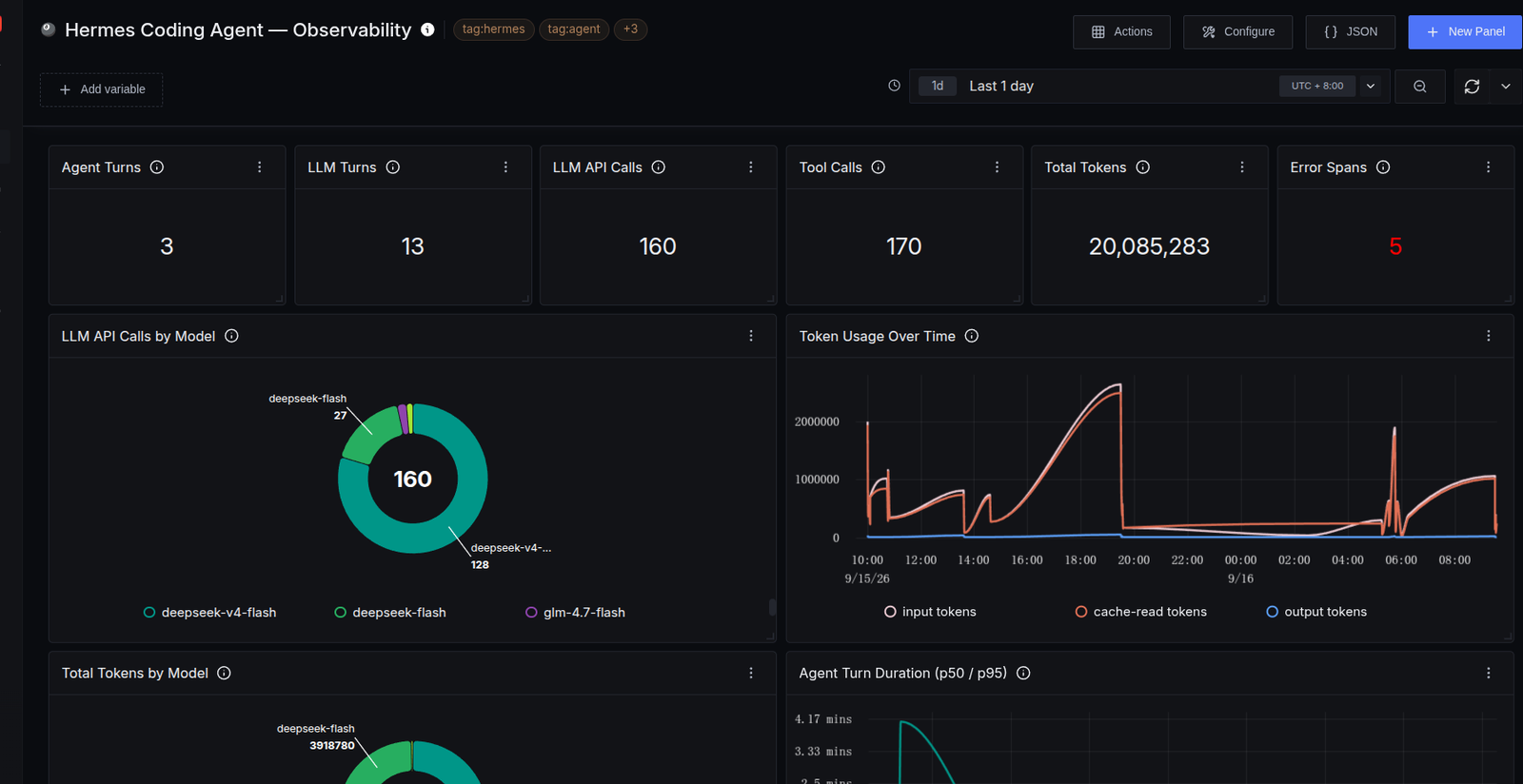
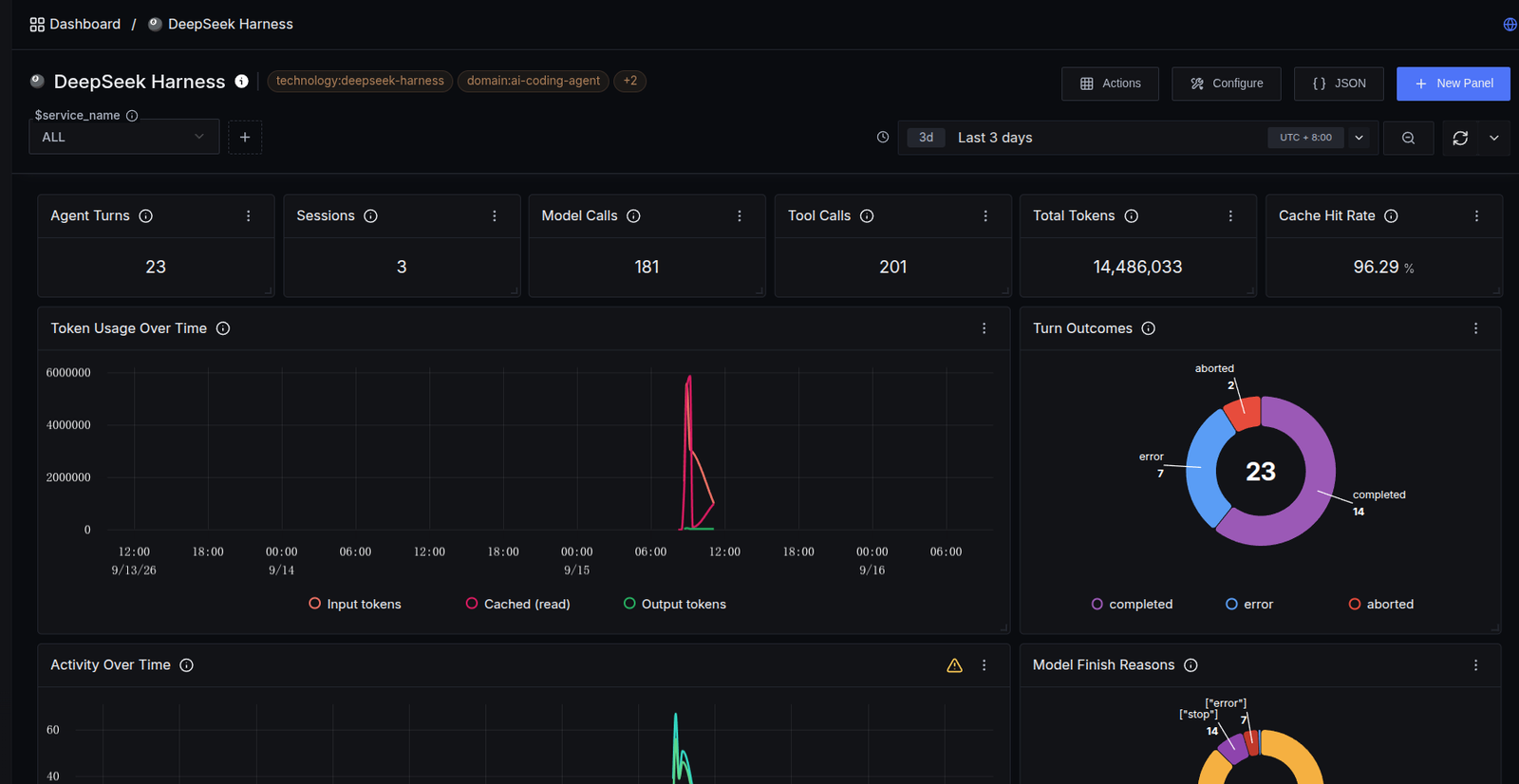
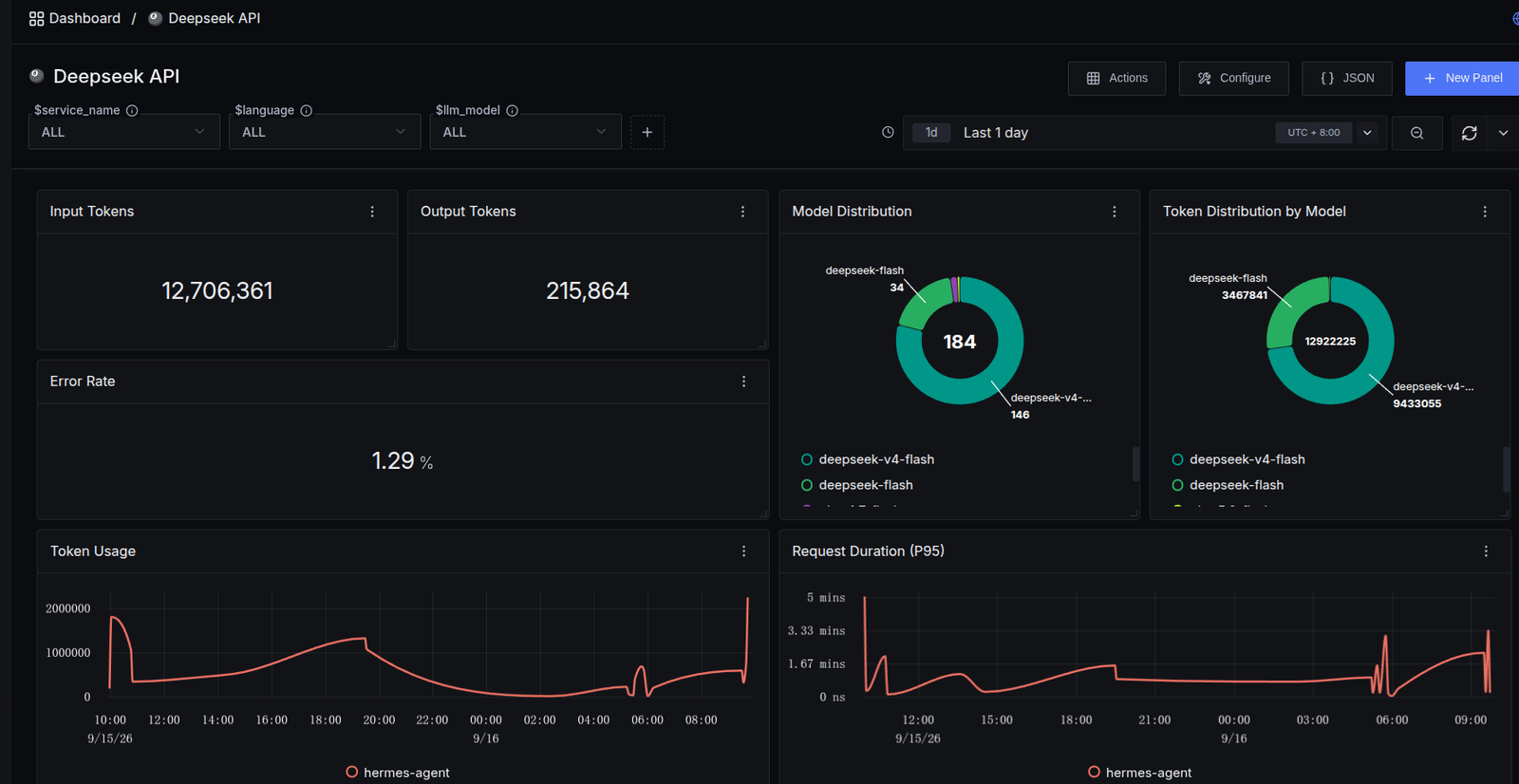
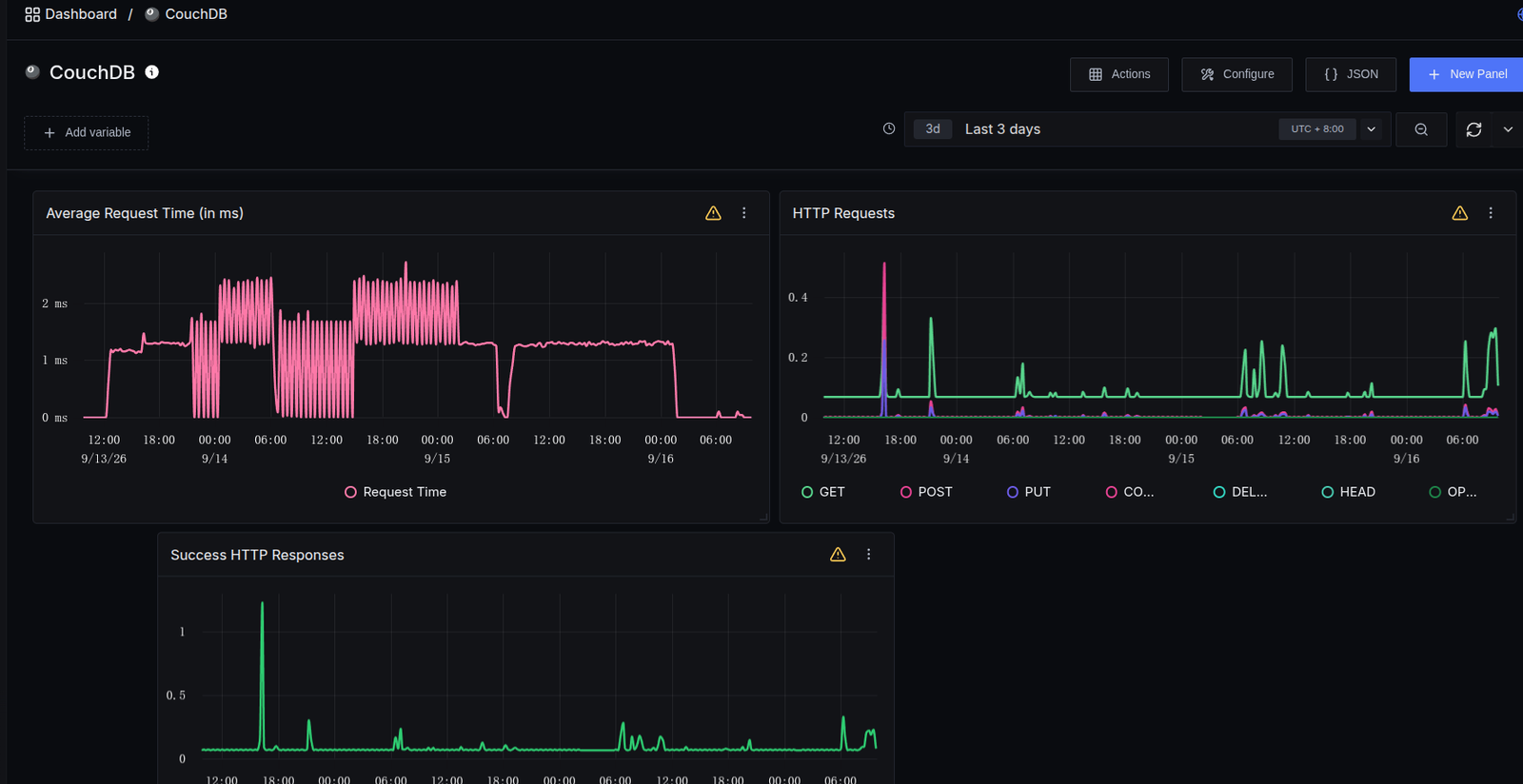
Dashboards can slice all of this by time window: model names, token usage, spend, error rates. That is enough to catch problems proactively, and then hand them to the agent to investigate and fix.
Letting the agent monitor itself
The metrics that SigNoz collects are visible to the Hermes agent as well. With a heartbeat pattern, the agent can poll its own telemetry and watch itself — which closes the loop between “something looks wrong” and “someone goes and looks.”
Summary
Deploying SigNoz with Docker Compose alongside the Hermes OpenTelemetry plugin gives you:
- Fast setup — a local SigNoz running in under five minutes with Foundry
- Zero-intrusion integration — install the OTel plugin through Hermes’ plugin mechanism, with no changes to core code
- Full-chain observability — a complete trace tree from agent session to LLM API call, tool execution and subtask
- Visual monitoring — official dashboards for agent performance, cost and error trends
- Agent self-monitoring — SigNoz can drive Hermes’ own self-monitoring and alerting
Test comment